XTOOL X100 Pro2 key programmer, X300P reset tool and TP200 tire pressure diagnostic device, made by Xtool, are all upgradeable via web-based download. Now chinacardiags.com will show you how to upgrade them online step by step.
1. Visit http://www.xtoolteh.com
2. Select “Service & Support”, where you’ll see a list of upgrade tools for different Xtool units, including X100 Pro2, X300P, TP200, X100 Pro etc. Choose what you like to upgrade and download the file.

3. Extract the installation package into an upgrade tool, then double click on the TP200Installer exe. (applied to X100 Pro, X300P and TP200) to install the software.
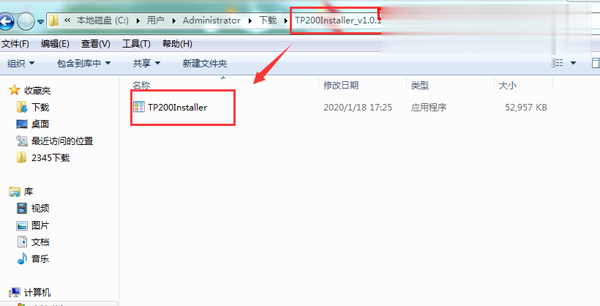
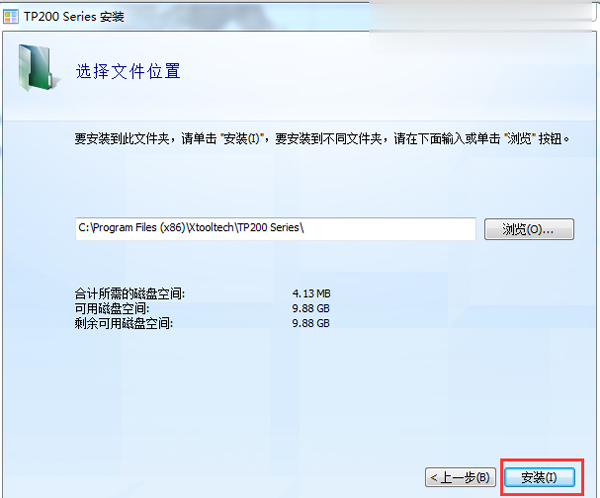
4. Connect X100 Pro2, X300P or TP200 to Windows computer with Type-C cable (If the USB device cannot be recognized, use this method: First insert the Type-C connector halfway to make the screen light up. Then insert all of the Type-C connector to identify the USB device).
5. Open the upgrade tool, input the product SN and password, then click on login (certificate of conformity with S/N and password. Note: the serial number begins with three letters: pro).

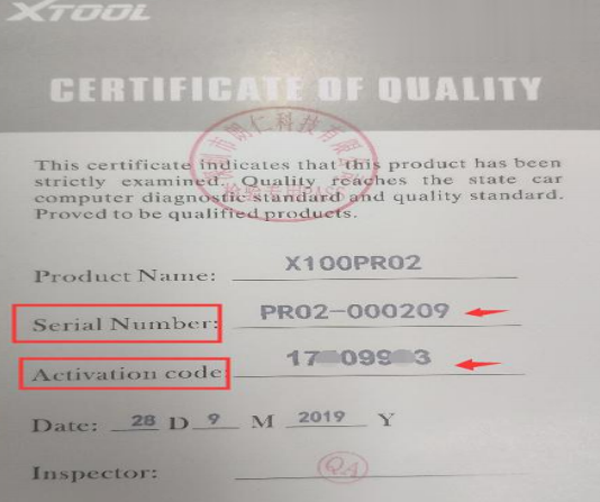
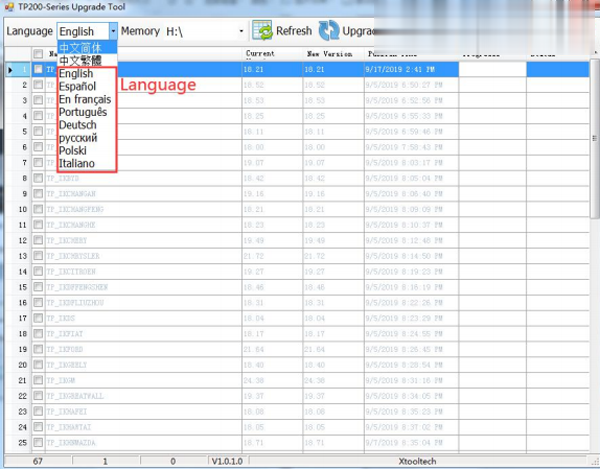
6. Select the language you like and now ready to upgrade!
|



