china obd2 diangostic tool blog
obd2toolbella
暱稱: bella
性別: 女
國家: 美國
地區: 其他地區
« August 2026 »
SMTWTFS
1
2345678
9101112131415
16171819202122
23242526272829
3031
最新文章
the Mercedes Benz W2...
Change BMW E Series ...
GM MDI 2 Software Up...
How To Reset ECU in ...
HOW TO CLONE CHIP 46...
文章分類
全部 (152)
訪客留言
最近三個月尚無任何留言
每月文章
日誌訂閱
尚未訂閱任何日誌
好友名單
尚無任何好友
網站連結
尚無任何連結
最近訪客
最近沒有訪客
日誌統計
文章總數: 152
留言總數: 0
今日人氣: 34
累積人氣: 224
站內搜尋
RSS 訂閱
RSS Feed
2020 年 2 月 8 日  星期六   晴天


Autel IM608 Programming for Benz W207 分類: 未分類

 In this instruction, OBD2TOOL will show you guide on how to use Autel IM608 programmer and G-Box to do all key lost programming for Mercedes Benz W207.

Step 1:Password Calculation

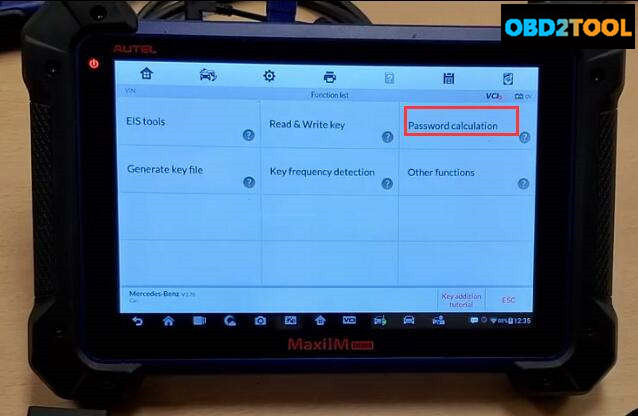
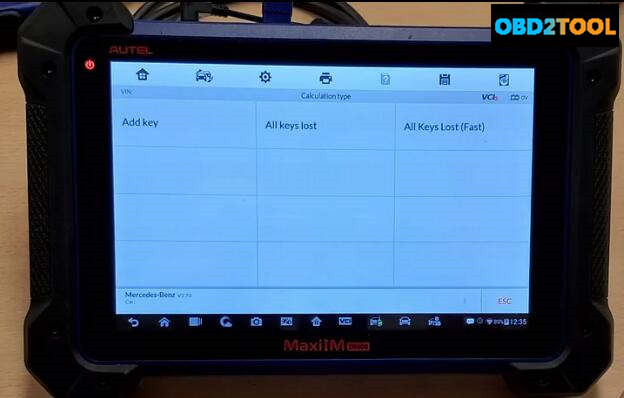
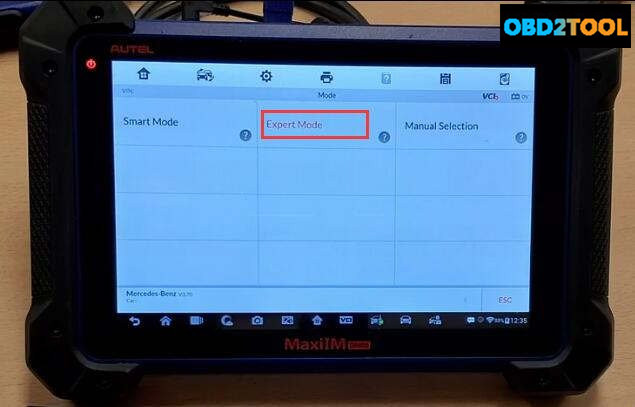
Select “Benz” brand,then enter “Expert Mode”–>”Password calculation”–>”All Key Lost(Fast)”
Autel-IM608-Program-New-Key-for-for-Benz-W207- (1)

Autel-IM608-Program-New-Key-for-for-Benz-W207- (2)

Autel-IM608-Program-New-Key-for-for-Benz-W207- (3)

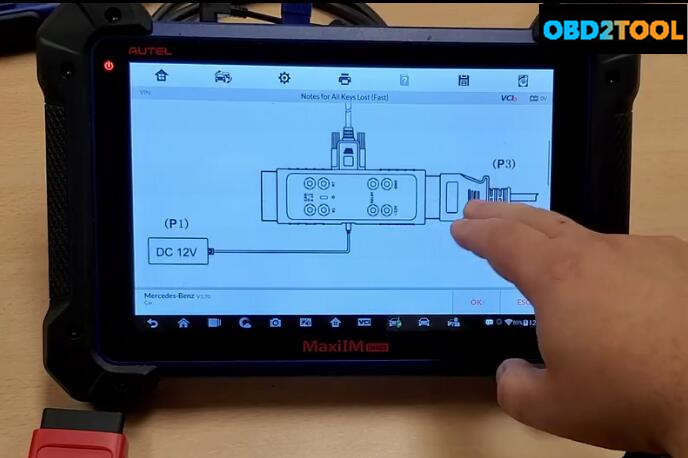
Now it will show you some diagrams and explanations,after checking press “OK” to continue

Autel-IM608-Program-New-Key-for-for-Benz-W207- (4)Autel-IM608-Program-New-Key-for-for-Benz-W207- (5)

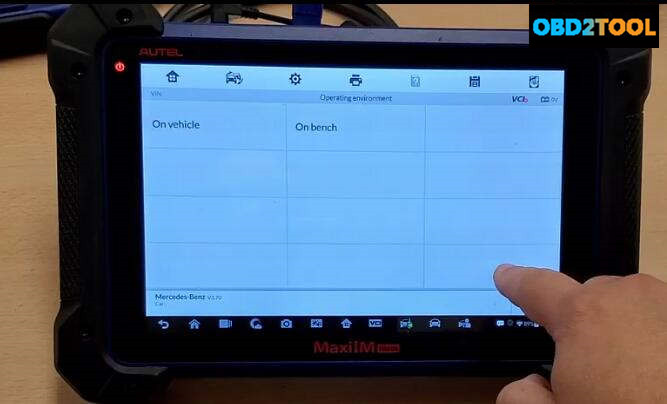
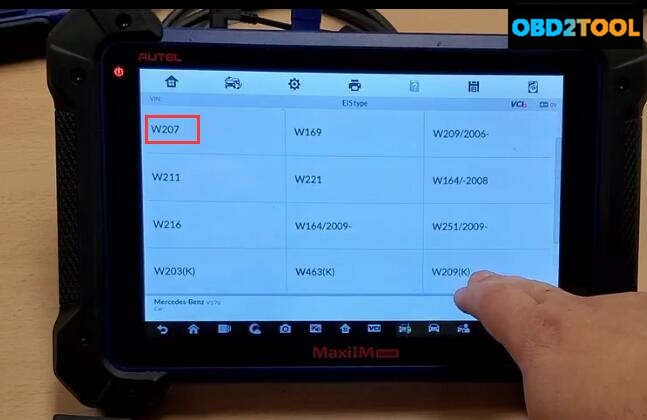
Now select “On bench”–>”W207″
Autel-IM608-Program-New-Key-for-for-Benz-W207- (6)

Autel-IM608-Program-New-Key-for-for-Benz-W207- (7)

Now follow the instruction on the Autel IM608 screen to build connection between IM608,G-Box,EIS.
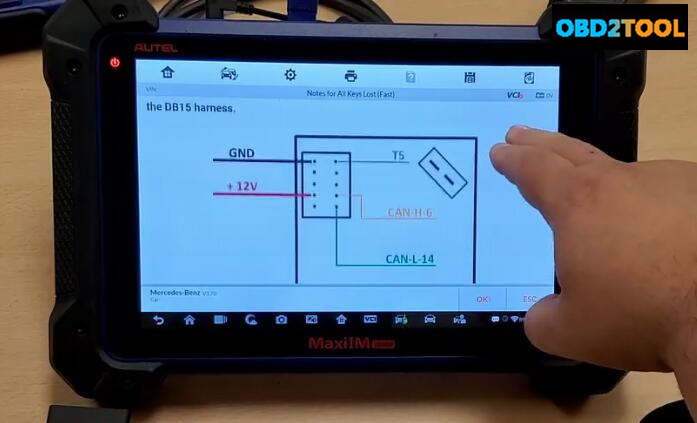
Autel-IM608-Program-New-Key-for-for-Benz-W207- (8)

Autel-IM608-Program-New-Key-for-for-Benz-W207- (9)

Autel-IM608-Program-New-Key-for-for-Benz-W207- (10)

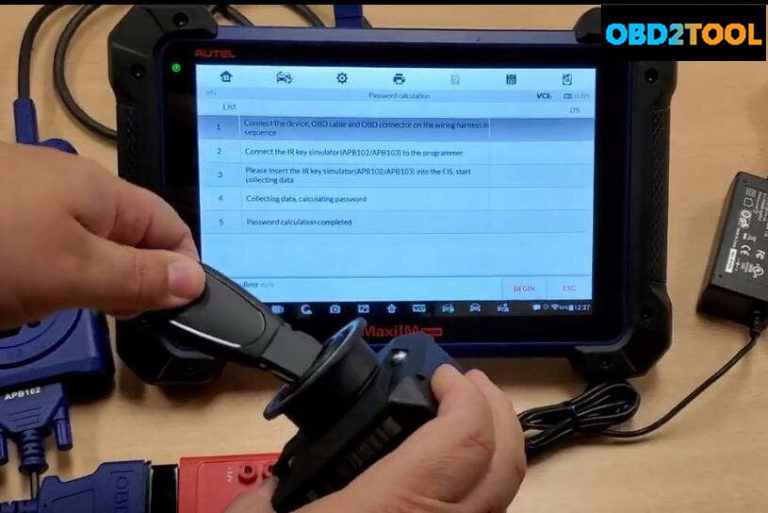
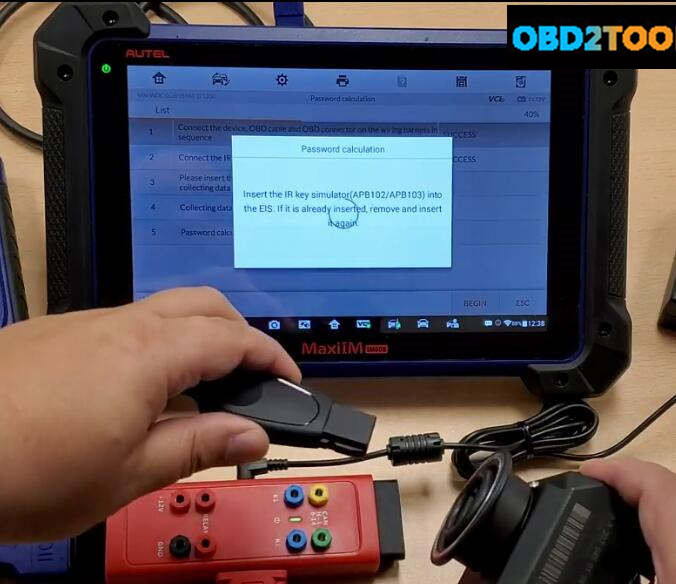
After then,press “OK” to continue,the im608 will show you the steps to calculate password.Here we start from step 3(Step1 & Step2 done),insert the APB102 into the EIS.

Press “BEGIN” button on the screen
Autel-IM608-Program-New-Key-for-for-Benz-W207- (11)

Some prompt massage will show,just prss “OK”

Now it prompt “Insert the IR key simulator(APB102/APB103) into the EIS.If it is already inserted,remove and insert it again”
Autel-IM608-Program-New-Key-for-for-Benz-W207- (12)

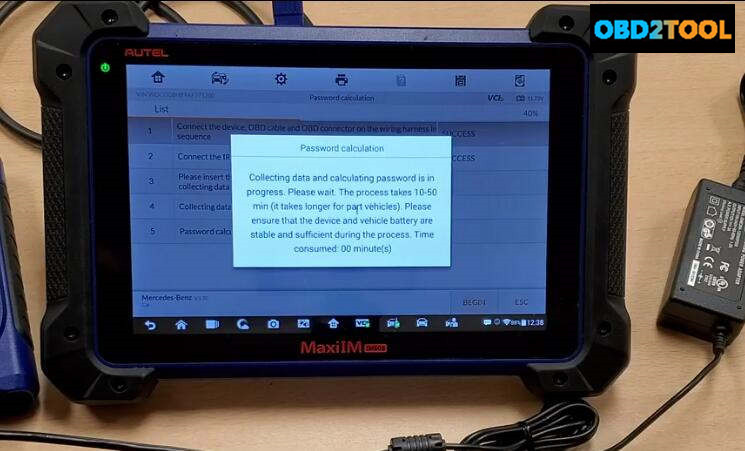
Collecting data and calculating password is in progress.Please wait,it will take about 10-50 minutes(it take longer for part vehicle).Please ensure that the device and vehicle battery are stable and sufficient during the process.
Autel-IM608-Program-New-Key-for-for-Benz-W207- (13)

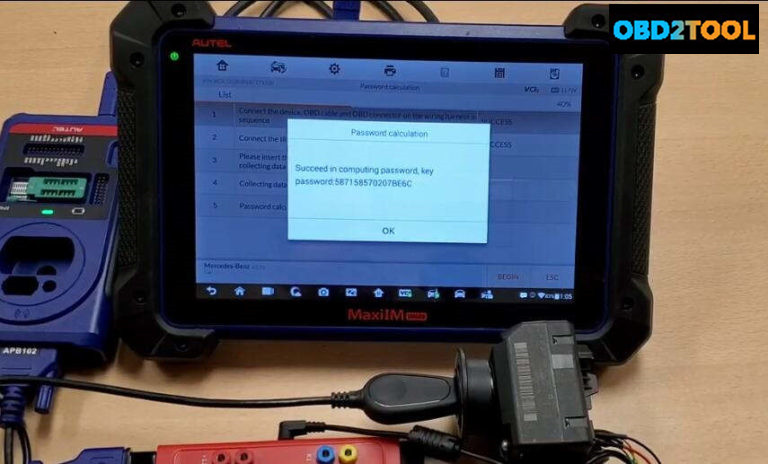
Now the password calculation finish,press “OK” to continue
Autel-IM608-Program-New-Key-for-for-Benz-W207- (14)

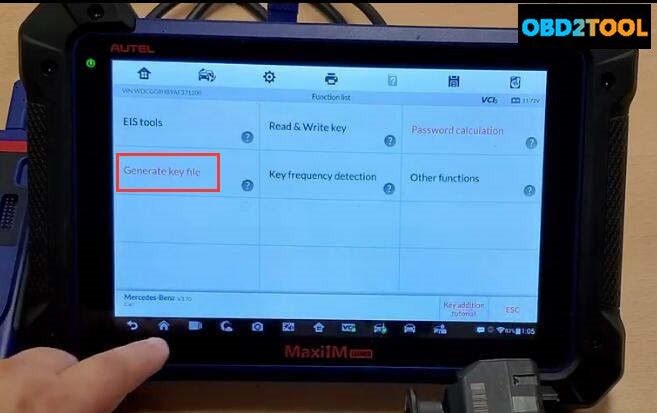
Generate Key File

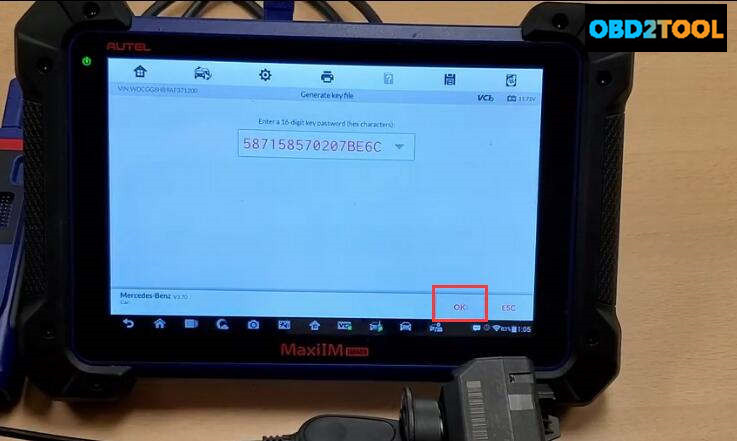
Back menu to select “Generate key file”,press “OK” to continue
Autel-IM608-Program-New-Key-for-for-Benz-W207- (15)

Autel-IM608-Program-New-Key-for-for-Benz-W207- (16)

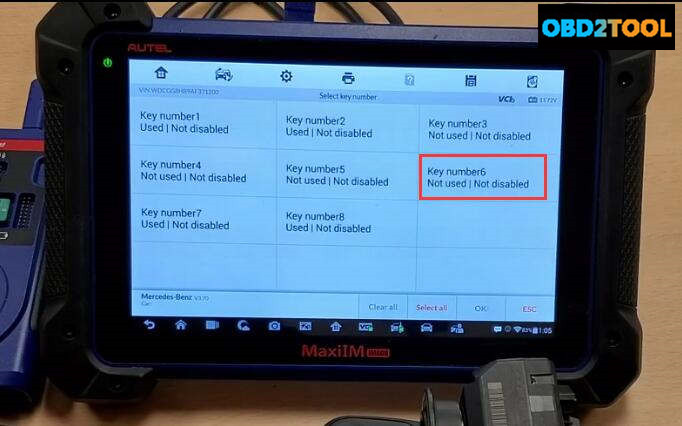
Make sure you always use the last slots in order to program key in this case is key number 6
Autel-IM608-Program-New-Key-for-for-Benz-W207- (17)

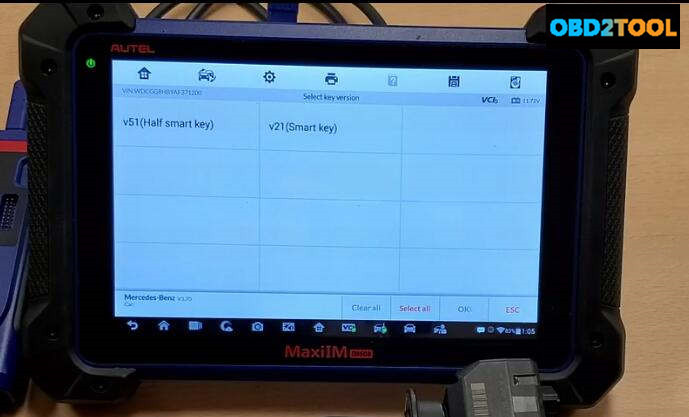
Select “v51(Half smart key)”

Autel-IM608-Program-New-Key-for-for-Benz-W207- (18)

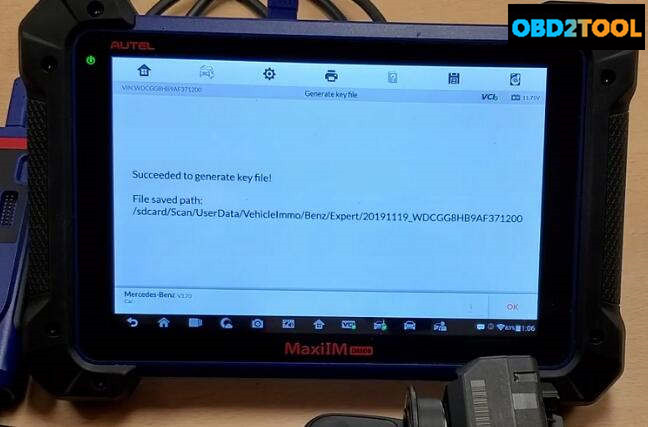
Succeed to generate key file!

Autel-IM608-Program-New-Key-for-for-Benz-W207- (19)

Step 3:Write Key

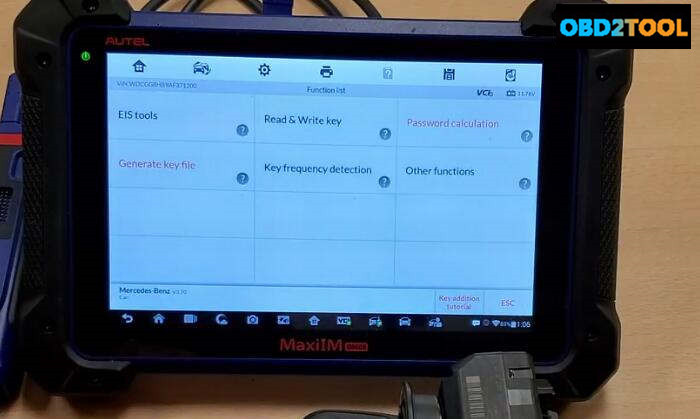
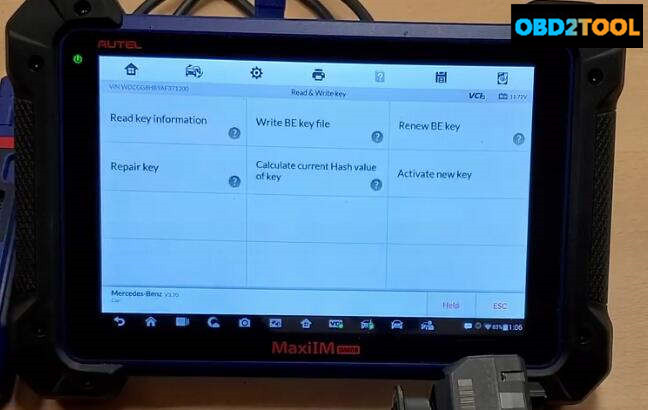
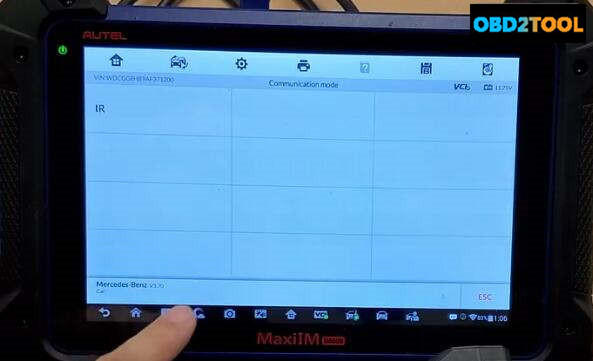
Insert new key into the XP400,then back to menu to select “Read & Write Key”–>”IR”
Autel-IM608-Program-New-Key-for-for-Benz-W207- (20)

Autel-IM608-Program-New-Key-for-for-Benz-W207- (21)
Press “Write BE key file”

Autel-IM608-Program-New-Key-for-for-Benz-W207- (22)

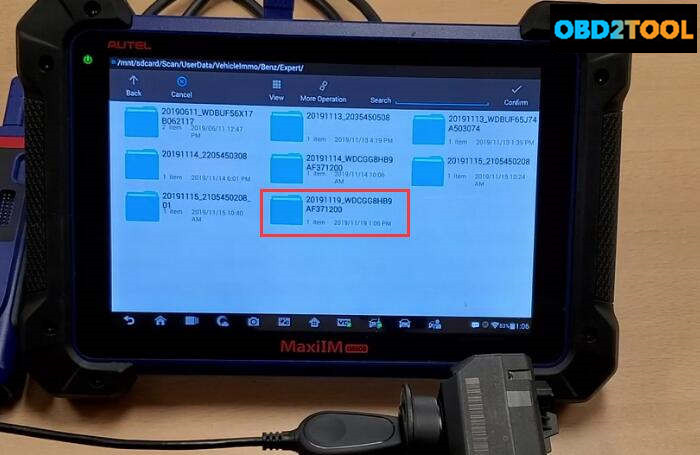
It will prompt you insert the a new key,here press “OK” to continue,select the key file that save just now
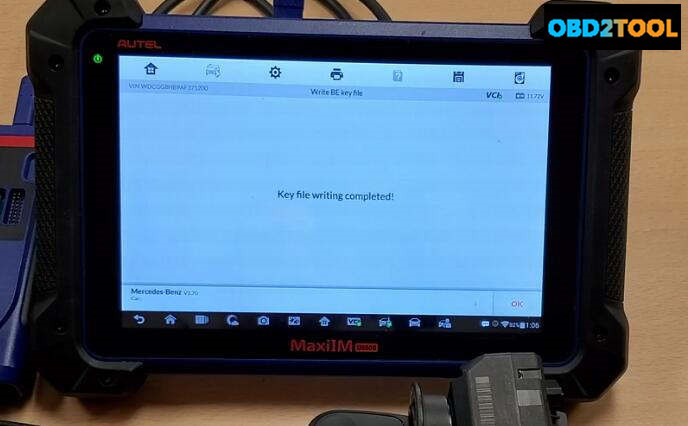
Autel-IM608-Program-New-Key-for-for-Benz-W207- (23)

Key file writing completed!

Done!


訪客留言 (返回 obd2toolbella 的日誌)

訪客名稱:
電郵地址: (不會公開)
驗證碼:  按此更新驗證碼 (如看不清楚驗證碼請點擊圖片刷新)
俏俏話: (必需 登入 後才能使用此功能)
[ 開啟多功能編輯器 ]