china obd2 diangostic tool blog
obd2toolbella
暱稱: bella
性別: 女
國家: 美國
地區: 其他地區
« August 2026 »
SMTWTFS
1
2345678
9101112131415
16171819202122
23242526272829
3031
最新文章
the Mercedes Benz W2...
Change BMW E Series ...
GM MDI 2 Software Up...
How To Reset ECU in ...
HOW TO CLONE CHIP 46...
文章分類
全部 (152)
訪客留言
最近三個月尚無任何留言
每月文章
日誌訂閱
尚未訂閱任何日誌
好友名單
尚無任何好友
網站連結
尚無任何連結
最近訪客
最近沒有訪客
日誌統計
文章總數: 152
留言總數: 0
今日人氣: 65
累積人氣: 255
站內搜尋
RSS 訂閱
RSS Feed
2020 年 8 月 5 日  星期三   晴天


Program Audi Q5 5th IMMO Key with Xtool X100 PAD2 分類: 未分類

 How-to: program Audi Q5 5th generation immobilizer key using XTOOL X100 Pad2 via OBD. Both add key and all keys lost are available. Here’s the guide on adding a spare Q5 key with pad2.

Device required:

Xtool X100 PAD2 pro with KC100 adapter in default

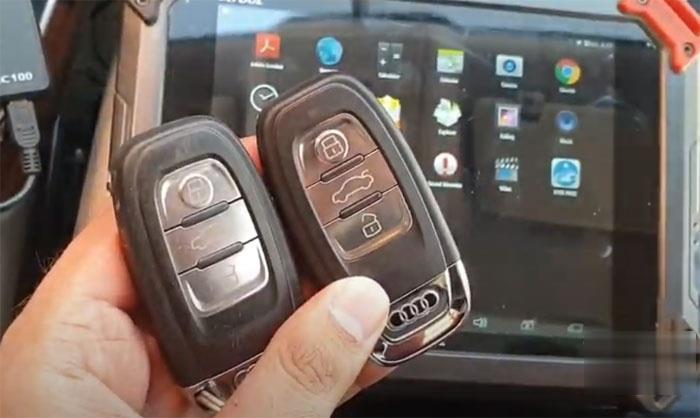
A working key

A new key to be programmed
Program-Audi-Q5-5th-IMMO-Key-with-Xtool-X100-PAD2-1 (2)

Procedure:

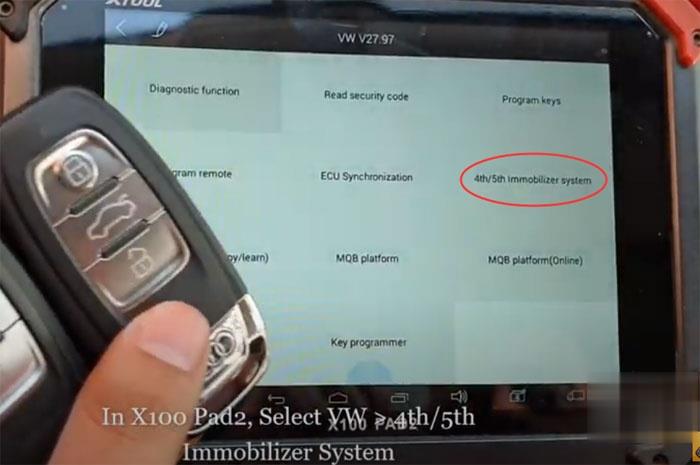
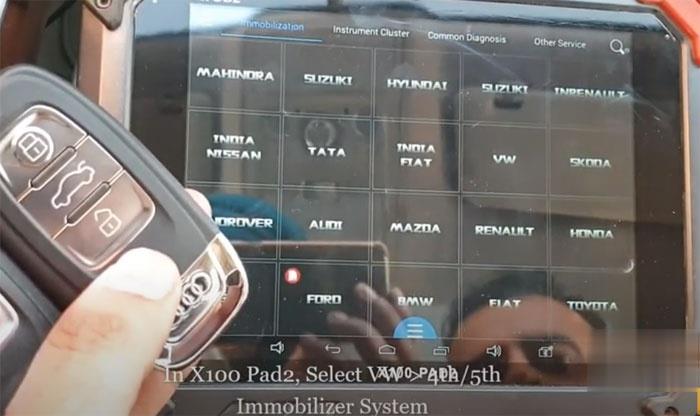
In X100 pad2, select VW-> 4th/5th Immobilizer system
Program-Audi-Q5-5th-IMMO-Key-with-Xtool-X100-PAD2-2 (2)
Program-Audi-Q5-5th-IMMO-Key-with-Xtool-X100-PAD2-3 (2)

Turn ON the ignition with one working key
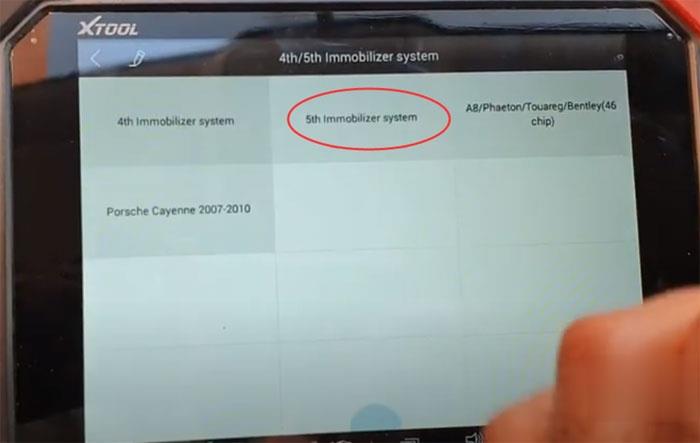
Select 5th Immobilizer System
Program-Audi-Q5-5th-IMMO-Key-with-Xtool-X100-PAD2-5 (2)
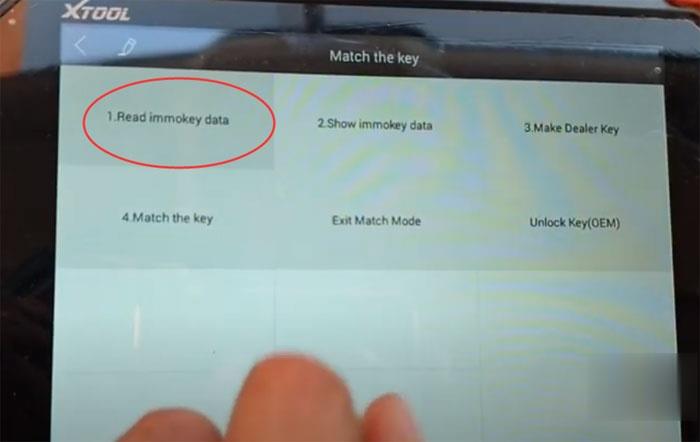
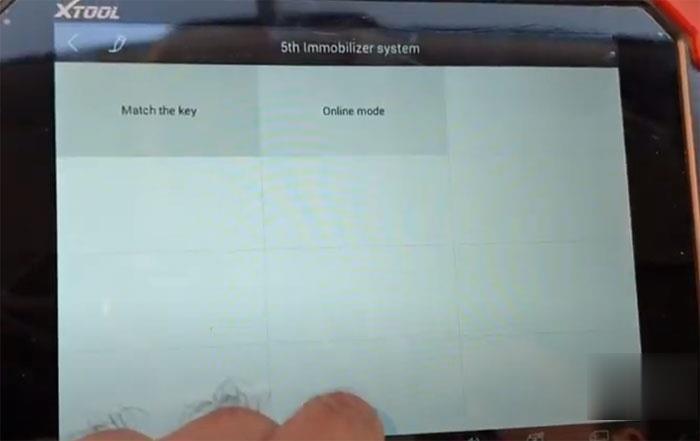
Select Match the Key-> Read Immo key data
Program-Audi-Q5-5th-IMMO-Key-with-Xtool-X100-PAD2-6 (2)

Program-Audi-Q5-5th-IMMO-Key-with-Xtool-X100-PAD2-7 (2)
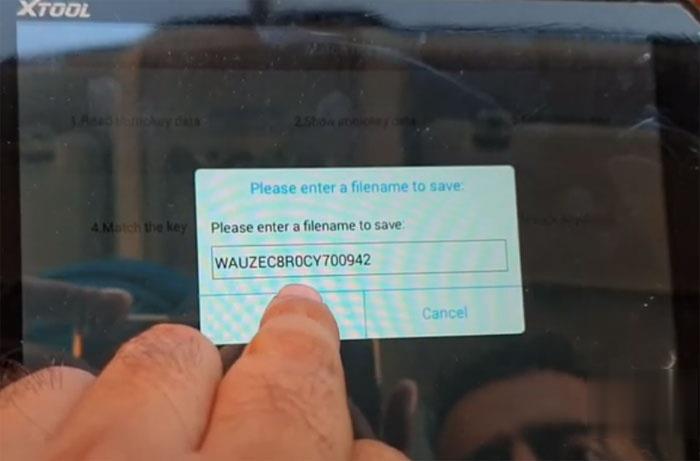
Enter the file name to be saved

Program-Audi-Q5-5th-IMMO-Key-with-Xtool-X100-PAD2-8 (2)
Turn the ignition on
If lost all keys, open the car headlights, the brakes and then confirm,
Wait for data to be read
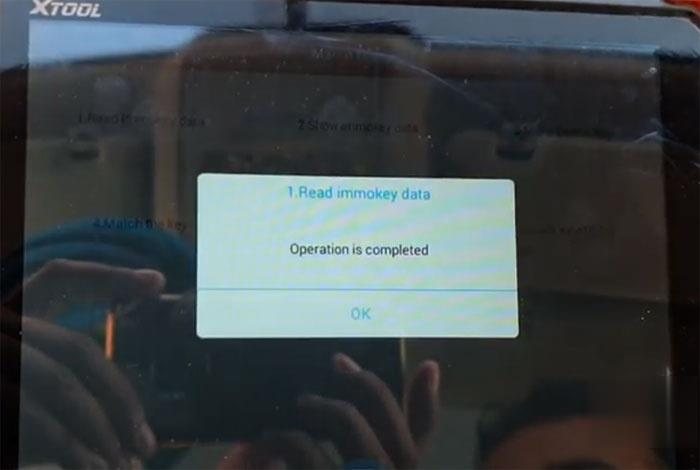
Program-Audi-Q5-5th-IMMO-Key-with-Xtool-X100-PAD2-9 (2)
Read data completed

Press Show Immo data to check the security data
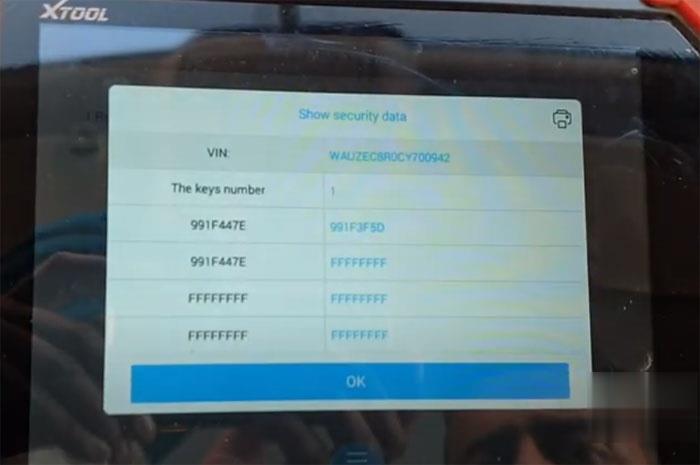
Program-Audi-Q5-5th-IMMO-Key-with-Xtool-X100-PAD2-10 (2)
Now select Make Dealer Key

Program-Audi-Q5-5th-IMMO-Key-with-Xtool-X100-PAD2-11 (2)
Plug the KC100 adapter into xtool x100 pad 2 tablet, press OK to continue
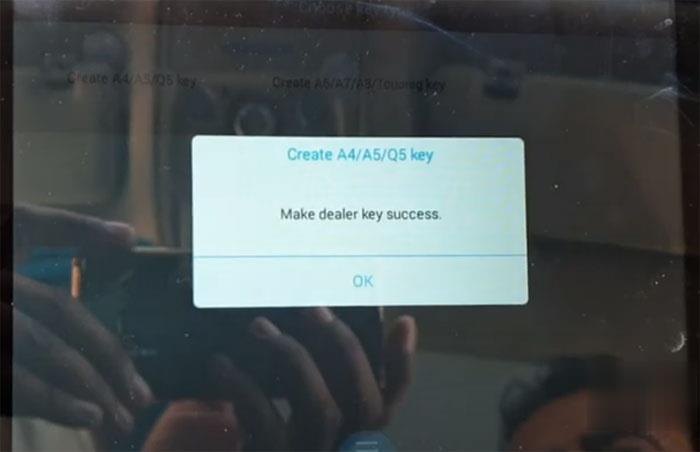
Select key type: Create A4/A5/Q5 Key
Put a key that ready to add to kc100’s coil
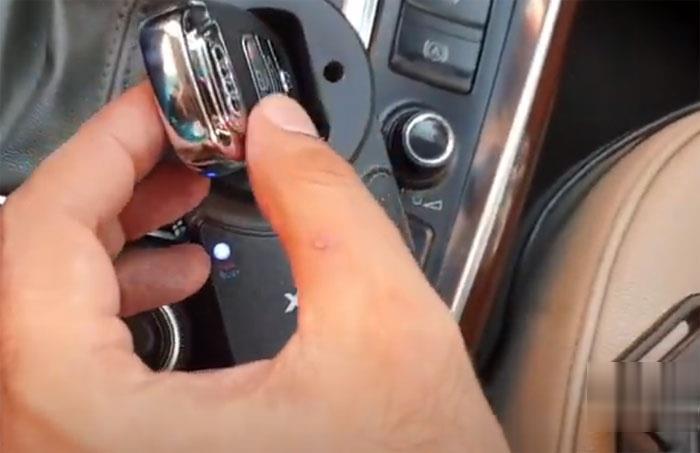
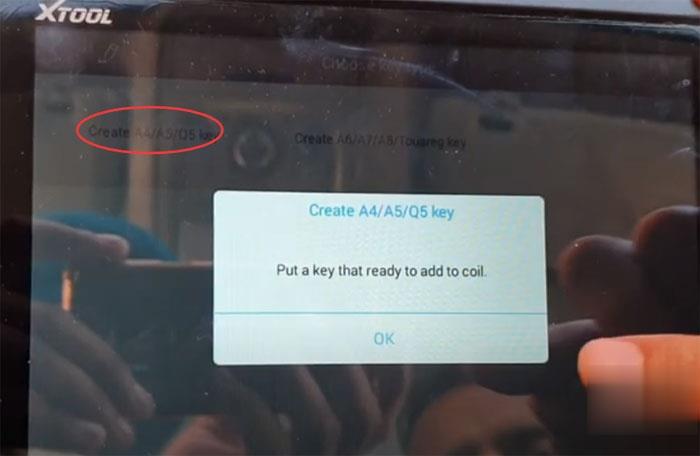
Program-Audi-Q5-5th-IMMO-Key-with-Xtool-X100-PAD2-12 (2)

Program-Audi-Q5-5th-IMMO-Key-with-Xtool-X100-PAD2-13 (2)

Creating key
Writing key

Program-Audi-Q5-5th-IMMO-Key-with-Xtool-X100-PAD2-14 (2)

Make dealer key success
Take out the key from KC100 adapter
Select Match the key and input the number of keys to match: 2
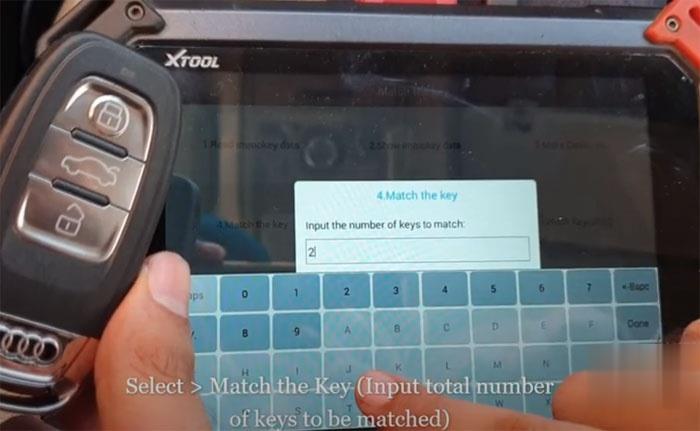
Program-Audi-Q5-5th-IMMO-Key-with-Xtool-X100-PAD2-16 (2)

Turn the ignition on
(All keys lost: Insert one dealer key into ignition switch to make it close to the induction coil)
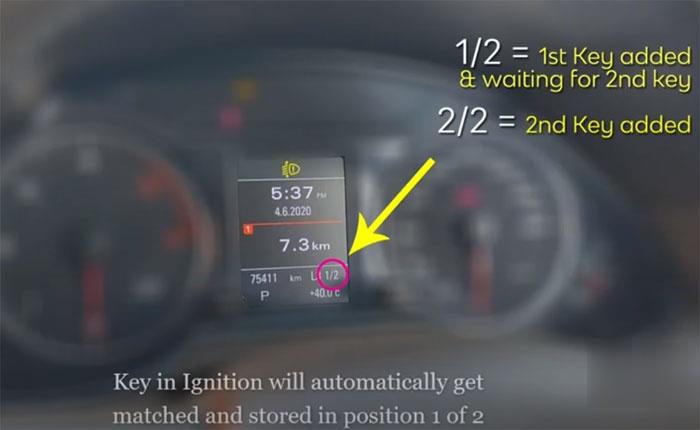
Program-Audi-Q5-5th-IMMO-Key-with-Xtool-X100-PAD2-17 (2)

Key in ignition will automatically get matched and stored in position 1 of 2
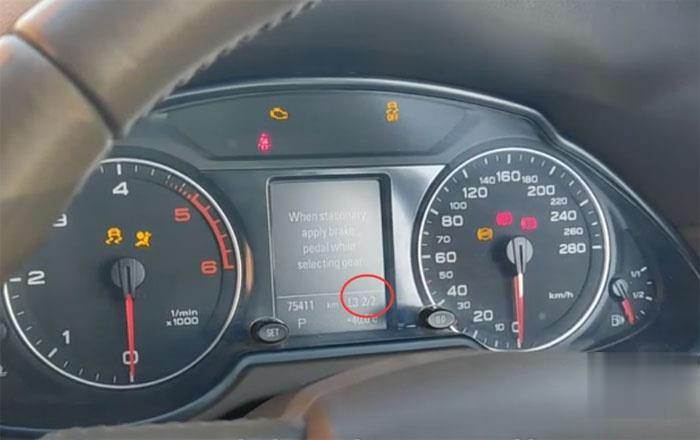
Program-Audi-Q5-5th-IMMO-Key-with-Xtool-X100-PAD2-18 (2)
Now remove the key and insert second key to match that in position 2 of 2
Exit key learning
Match the key finished
Check the key for working.
Done.


訪客留言 (返回 obd2toolbella 的日誌)

訪客名稱:
電郵地址: (不會公開)
驗證碼:  按此更新驗證碼 (如看不清楚驗證碼請點擊圖片刷新)
俏俏話: (必需 登入 後才能使用此功能)
[ 開啟多功能編輯器 ]