china obd2 diangostic tool blog
obd2toolbella
暱稱: bella
性別: 女
國家: 美國
地區: 其他地區
« August 2026 »
SMTWTFS
1
2345678
9101112131415
16171819202122
23242526272829
3031
最新文章
the Mercedes Benz W2...
Change BMW E Series ...
GM MDI 2 Software Up...
How To Reset ECU in ...
HOW TO CLONE CHIP 46...
文章分類
全部 (152)
訪客留言
最近三個月尚無任何留言
每月文章
日誌訂閱
尚未訂閱任何日誌
好友名單
尚無任何好友
網站連結
尚無任何連結
最近訪客
最近沒有訪客
日誌統計
文章總數: 152
留言總數: 0
今日人氣: 21
累積人氣: 211
站內搜尋
RSS 訂閱
RSS Feed
2020 年 8 月 23 日  星期日   晴天


How to Program BMW CAS3+ Key with Autel XP400 and VVDI2 分類: 未分類

Autel XP400 chip programmer can easily do the chip read and write, key read and write on PC. Here’s the demo example on reading CAS3+ EEPROM with XP400 and write key with Xhorse VVDI2 key programmer.

Step 1: Read CAS3+ EEPROM with XP400

Download XP400 software on PC

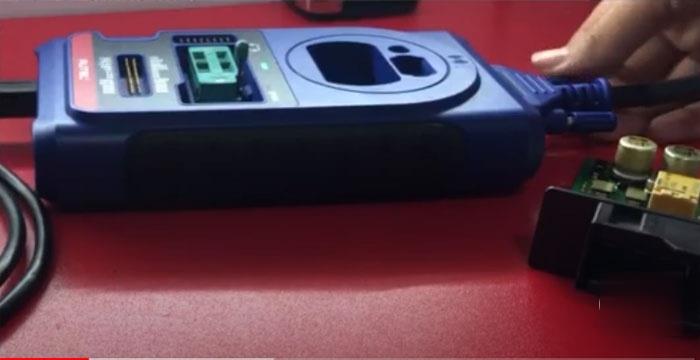
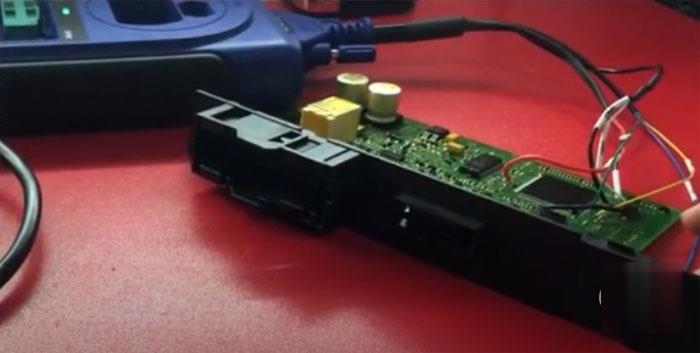
Remove CAS3+ module, connect CAS3+ with XP400 programmer via APA106 adapter following the wiring diagram
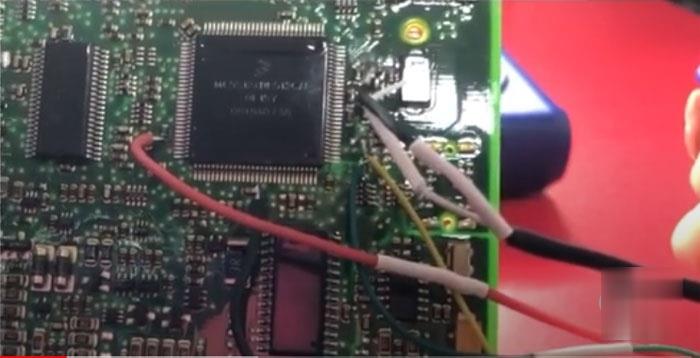
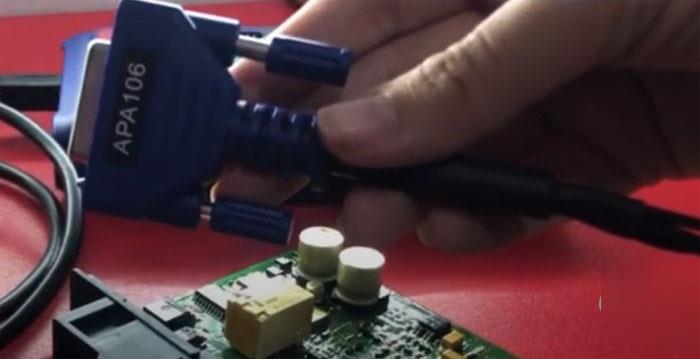
How-to-Program-BMW-CAS3+-Key-with-Autel-XP400-and-VVDI2-1 (2)

How-to-Program-BMW-CAS3+-Key-with-Autel-XP400-and-VVDI2-2 (2)
How-to-Program-BMW-CAS3+-Key-with-Autel-XP400-and-VVDI2-3 (2)
How-to-Program-BMW-CAS3+-Key-with-Autel-XP400-and-VVDI2-4 (2)

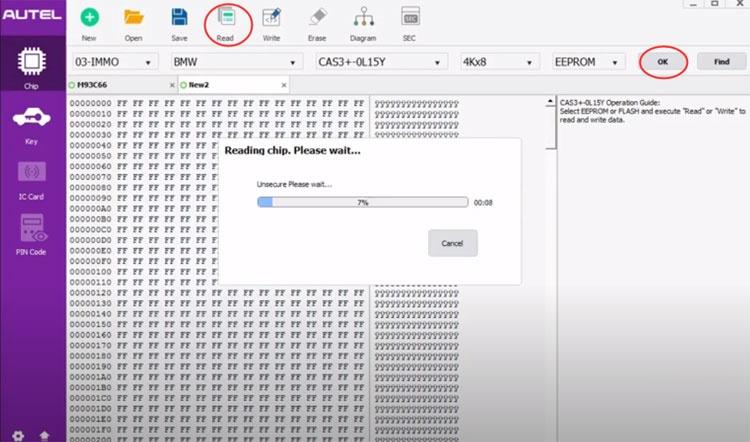
In XP400 software, select Chip function->03-IMMO->BMW-> CAS3+ 0L15Y EEPROM, press OK
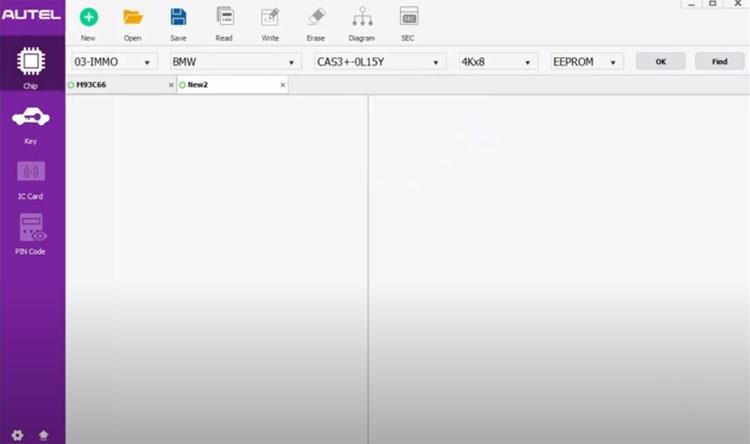
How-to-Program-BMW-CAS3+-Key-with-Autel-XP400-and-VVDI2-5 (2)

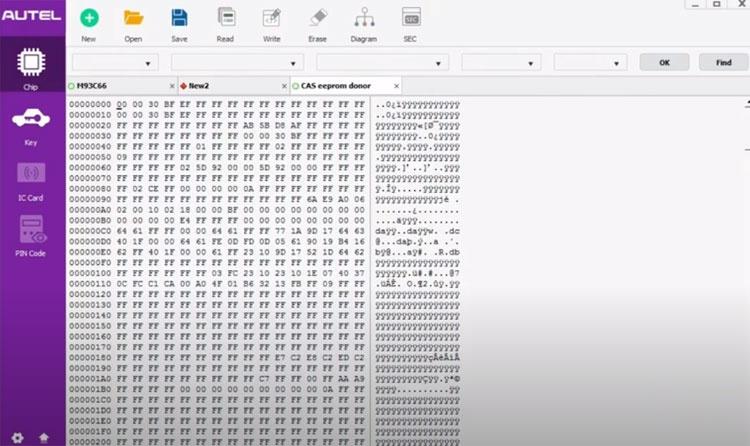
Read EERPOM and save dump

How-to-Program-BMW-CAS3+-Key-with-Autel-XP400-and-VVDI2-6 (2)
How-to-Program-BMW-CAS3+-Key-with-Autel-XP400-and-VVDI2-7 (2)

Step 2: Make dealer key with VVDI2

In Xhorse VVDI2 Transponder Programming function,  select Euro->BMW->CAS3+ (0L15Y, 0M23S)
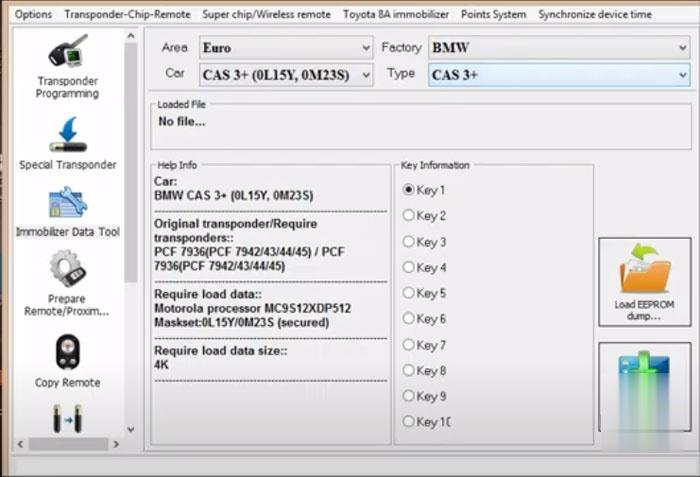
How-to-Program-BMW-CAS3+-Key-with-Autel-XP400-and-VVDI2-8 (2)

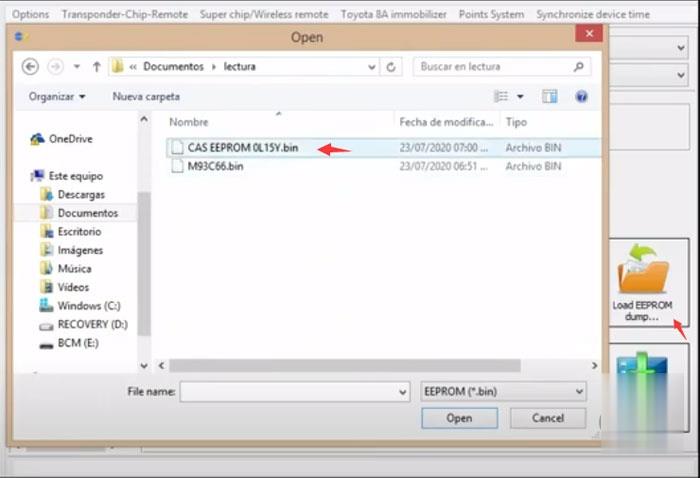
Load EEPROM dump read by XP400

How-to-Program-BMW-CAS3+-Key-with-Autel-XP400-and-VVDI2-9 (2)

Insert a vvdi super chip XT27 to vvdi2’s coil
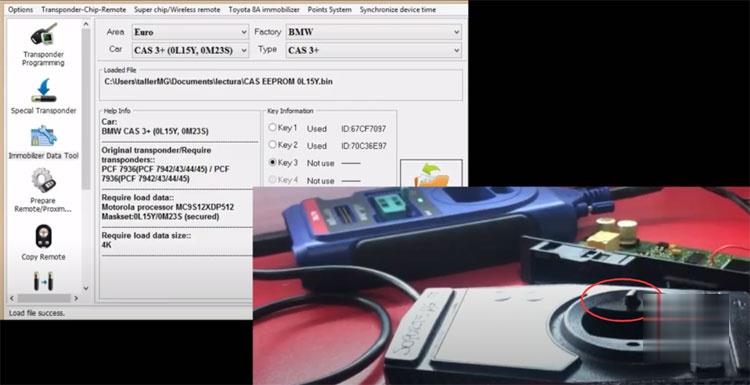
How-to-Program-BMW-CAS3+-Key-with-Autel-XP400-and-VVDI2-10 (2)

Select an unused key position and press Make Dealer Key
How-to-Program-BMW-CAS3+-Key-with-Autel-XP400-and-VVDI2-11 (2)

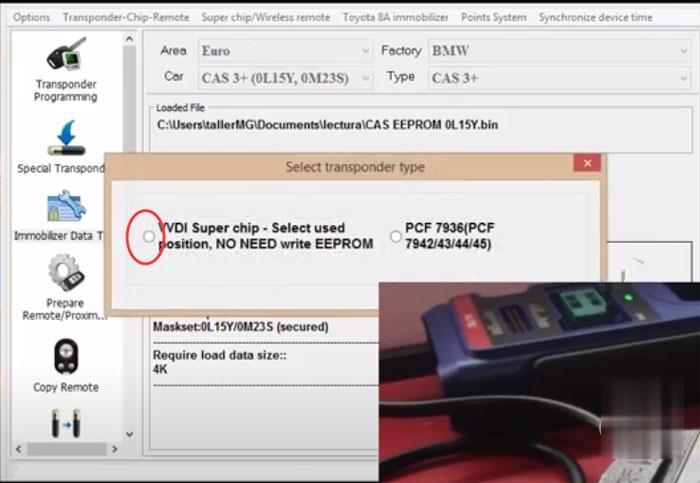
Select transponder type VVDI super chip and press OK to continue
How-to-Program-BMW-CAS3+-Key-with-Autel-XP400-and-VVDI2-12 (2)

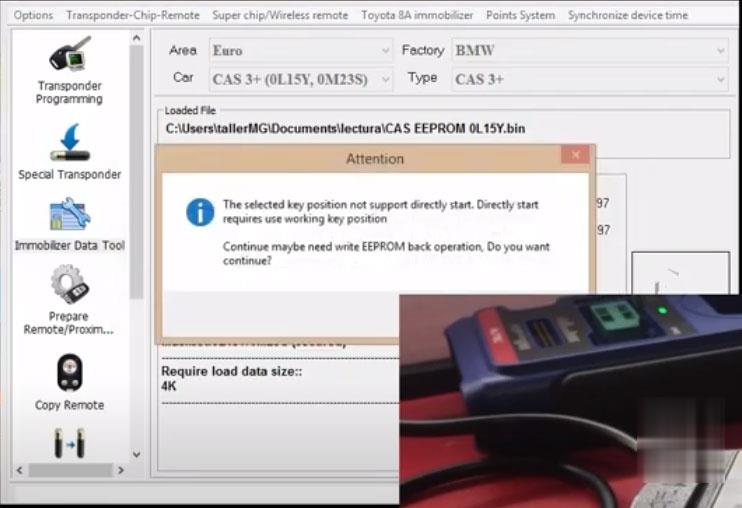
The selected key position not support directly start. To continue need write EEPROM back. Press Yes to continue.
How-to-Program-BMW-CAS3+-Key-with-Autel-XP400-and-VVDI2-13 (2)

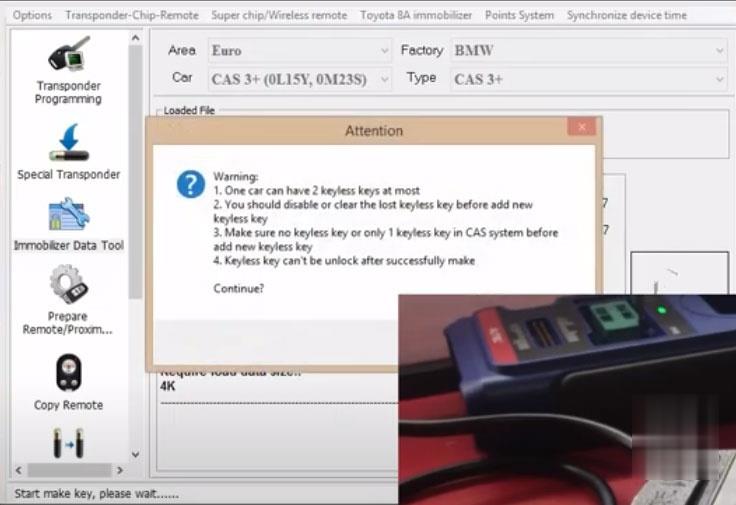
Press Yes

How-to-Program-BMW-CAS3+-Key-with-Autel-XP400-and-VVDI2-14 (2)

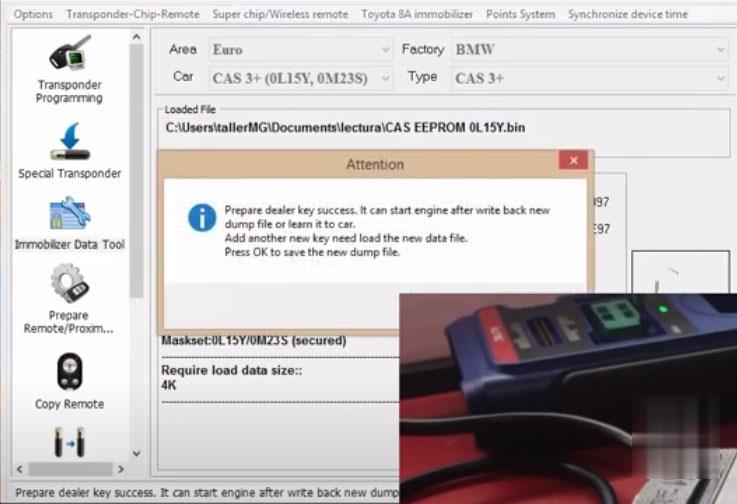
Prepare dealer key success. It can start engine after write back new dump file or learn it to car.
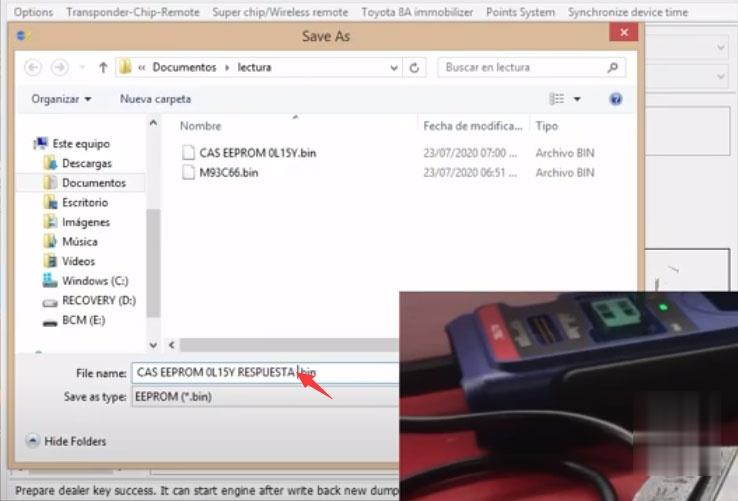
How-to-Program-BMW-CAS3+-Key-with-Autel-XP400-and-VVDI2-15 (2)

Save new key dump data.

Step 3: Write Data back with XP400

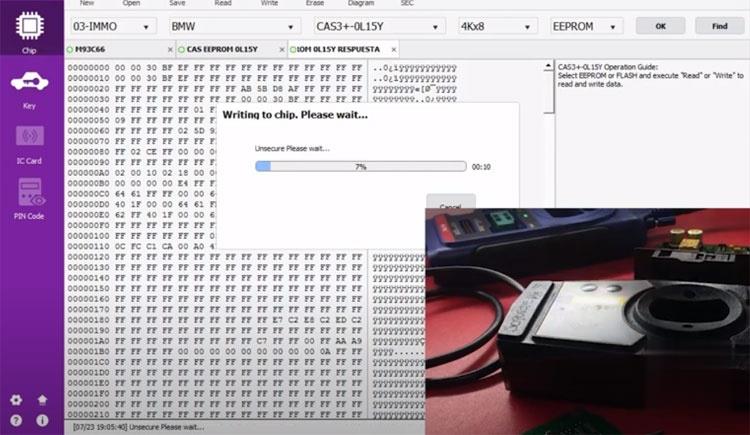
Run Autel XP400 software, open new key dump data and press Write
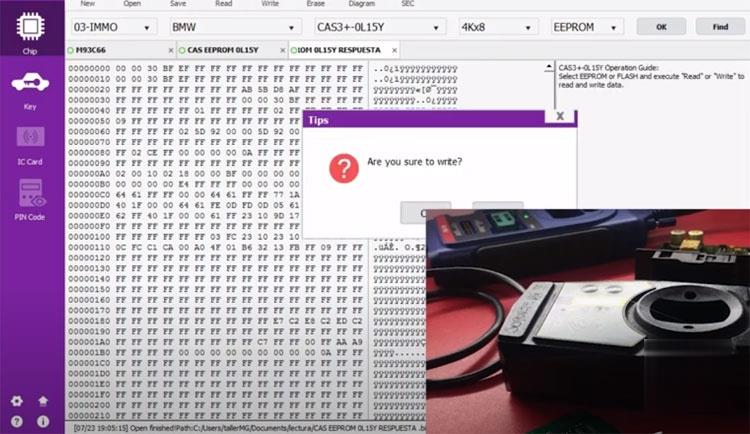
How-to-Program-BMW-CAS3+-Key-with-Autel-XP400-and-VVDI2-16 (2)
How-to-Program-BMW-CAS3+-Key-with-Autel-XP400-and-VVDI2-17 (2)

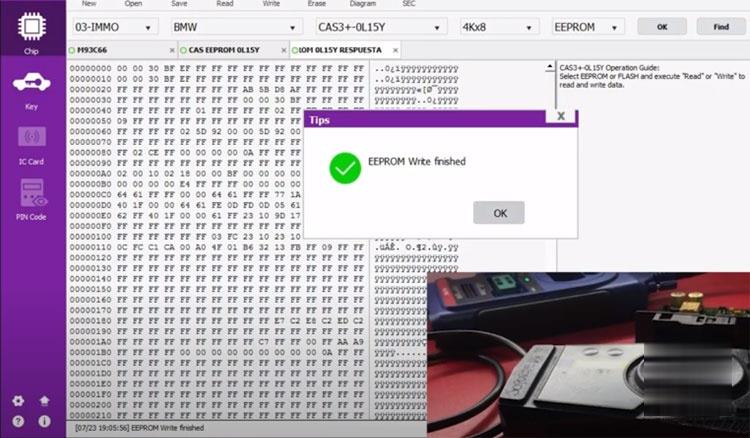
Write EEPROM back completed.

How-to-Program-BMW-CAS3+-Key-with-Autel-XP400-and-VVDI2-18 (2)
Now the key can start engine.

Install CAS3+ module back to vehicle.

Test new key.

Done.



訪客留言 (返回 obd2toolbella 的日誌)

訪客名稱:
電郵地址: (不會公開)
驗證碼:  按此更新驗證碼 (如看不清楚驗證碼請點擊圖片刷新)
俏俏話: (必需 登入 後才能使用此功能)
[ 開啟多功能編輯器 ]