How to Activate Launch X431 Truck Module to Your Androld Tablet OR Phone
1. Note: if you are using android version higher than 7 (Nougat) Please download the file from this link: https://erwinsalarda.com/download-launch-x431-apk-software-for-android/
2. From the link above download the Launch X431 Pro3 SOFTWARE WITHOUT (S), NOT PRO3-S.
3. Before anything else, you must have a Launch X431 PRO3 account.
INSTRUCTION HOW TO ACTIVATE:
Warning: If your ISP is CONVERGE, You can’t Activate this VCI. You can use DATA or DSL from another service provider.
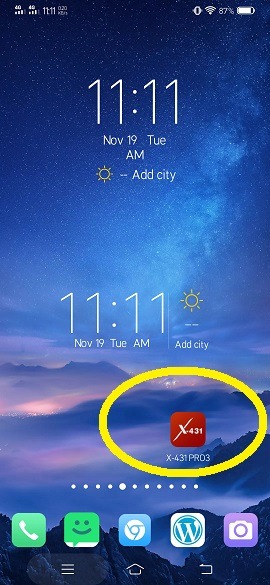
1. Download the Software and install it (Follow A & B instruction). After the installation, the software will create an Application Icon on your android device. just click to open it.
2. Login your Launch X431 PRO3 Account. Login with Username and Password.
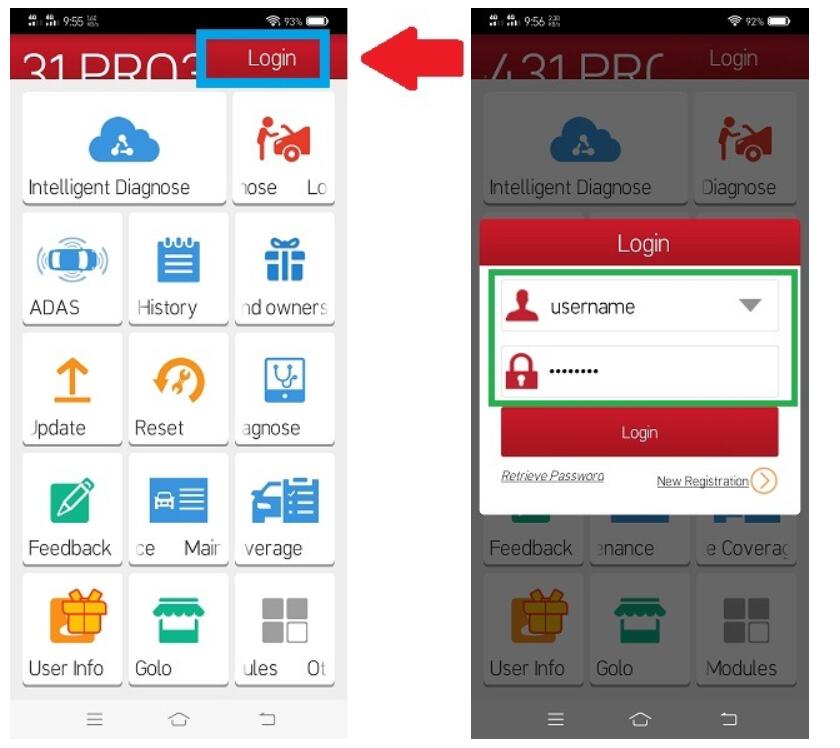
3. Once You successfully login. There will be a POPUP Windows to ACTIVATE the VCI. If no POPUP Window. Proceed Step 4.

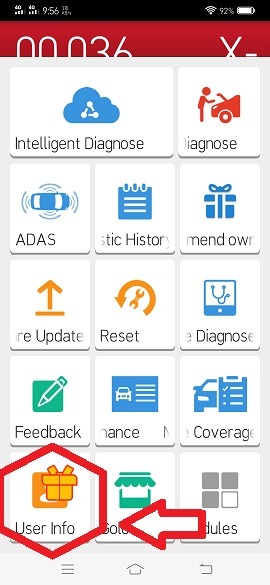
4. In the software Click USER INFO.
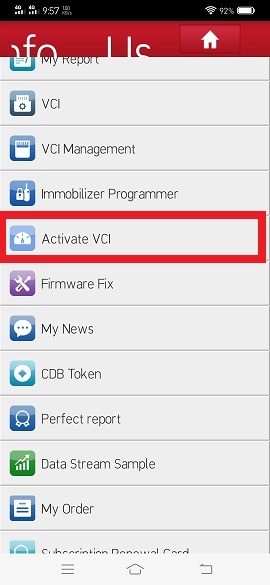
5. Inside the USER INFO. Click ACTIVATE VCI. Inside the USER INFO. Click ACTIVATE VCI.
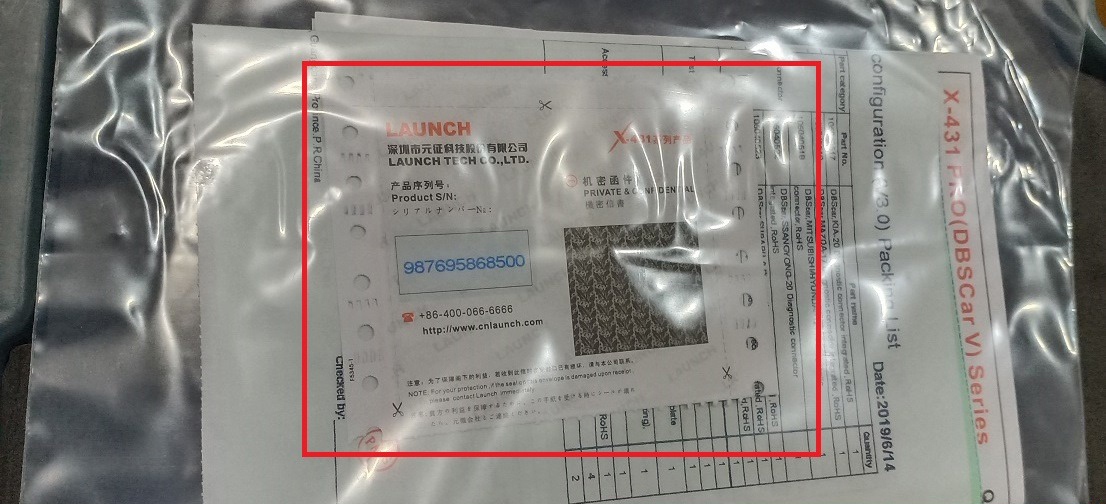
6. Input the SERIAL NUMBER and the ACTIVATION CODE. You can get this information from your Scanner box.
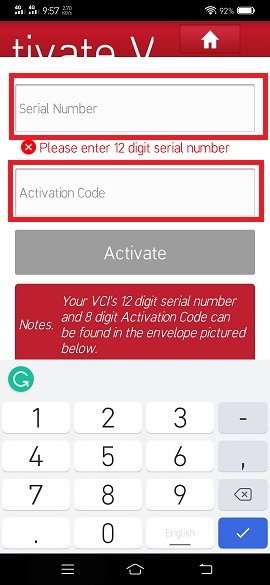
Inside the plastic with the PACKING LIST.
7. After the Successful Activation of your VCI. Just simple Close the Software, then Open it.
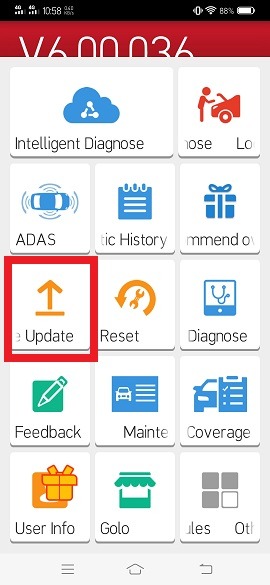
8. When you Open the LAUNCH X431 PRO3 application. Click Software UPDATE.
9. Inside the Update Software. in the Upper right corner, Click the SERIAL NUMBER that match to your HD module VCI NUMBER.
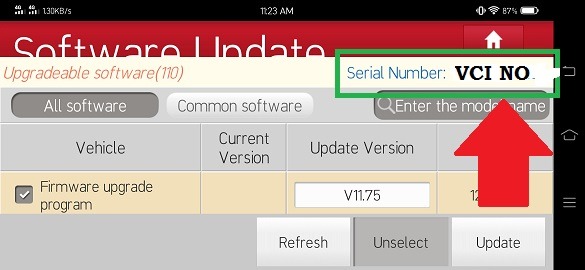
10. After you click update. in the serial number. Click the serial number that match to your HD module VCI
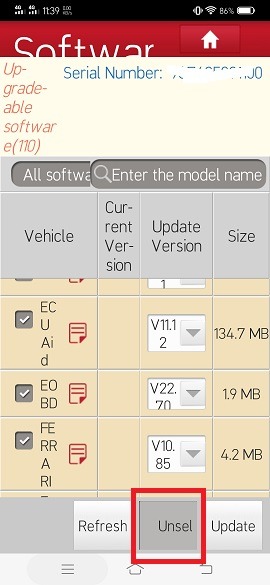
After you Select the VCI Number. Click Select All to Download All Vehicles.
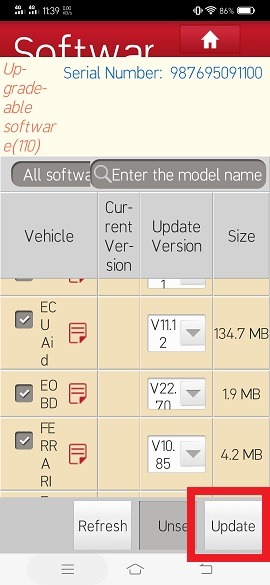
11. Then Click Update
12. Then Click UPDATE to download all the Vehicles.Then Click Update to download all the Vehicle.
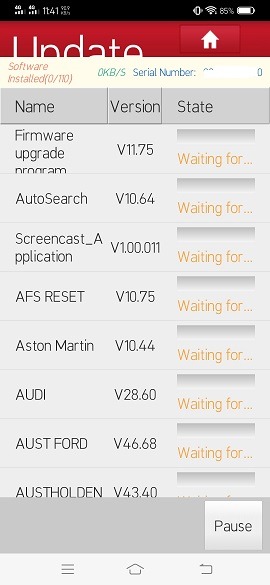
13. Now! Just wait a couple of hours to finish the UPDATE of all the Vehicle Database.
14. After the Update. Close the application and open it again.
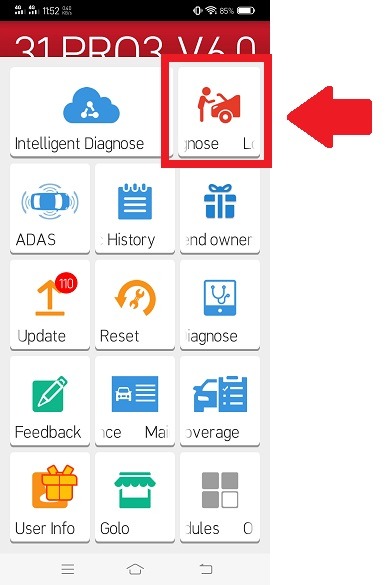
15. Now! we can start scanning by simply pressing the LOCAL DIAGNOSE. Select the Vehicle brand and follow the software instruction.LOCAL DIAGNOSE.
16. Congrats! you have now working LAUNCH X431 PRO3 HD MODULE TRUCK SCANNER.
|



