china obd2 diangostic tool blog
obd2toolbella
暱稱: bella
性別: 女
國家: 美國
地區: 其他地區
« August 2026 »
SMTWTFS
1
2345678
9101112131415
16171819202122
23242526272829
3031
最新文章
the Mercedes Benz W2...
Change BMW E Series ...
GM MDI 2 Software Up...
How To Reset ECU in ...
HOW TO CLONE CHIP 46...
文章分類
全部 (152)
訪客留言
最近三個月尚無任何留言
每月文章
日誌訂閱
尚未訂閱任何日誌
好友名單
尚無任何好友
網站連結
尚無任何連結
最近訪客
最近沒有訪客
日誌統計
文章總數: 152
留言總數: 0
今日人氣: 21
累積人氣: 211
站內搜尋
RSS 訂閱
RSS Feed
2022 年 1 月 22 日  星期六   晴天


How to Set Up Your Gmail on Autel Tools 分類: 未分類

 Since many users don’t know how to set up a personal Gmail account on Original Autel Tools, below we have made a quick tech tip. It’s workable for most Autel Scanners like Autel MaxiCOM MK906BT, MK908P, Autel MaxiIM IM608, etc.

Here we go, let’s show how it’s done.

Steps

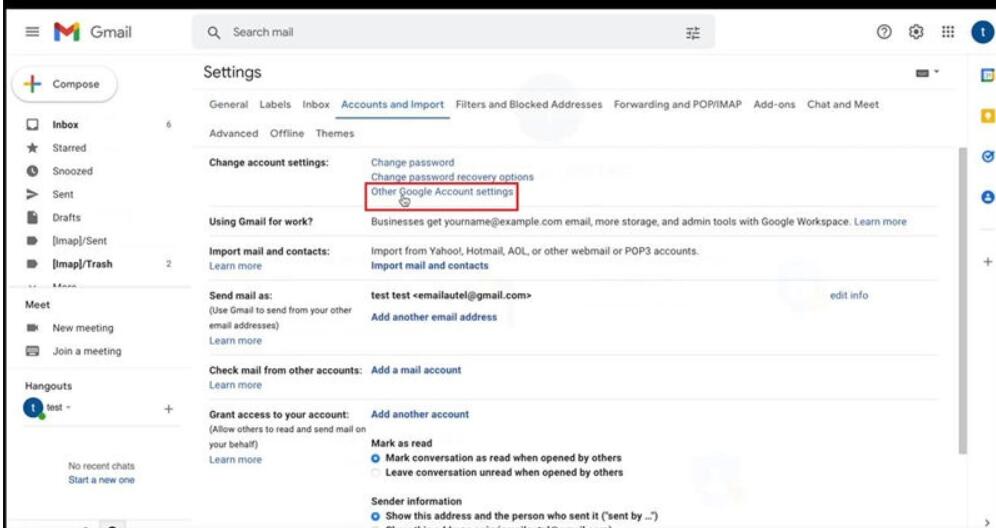
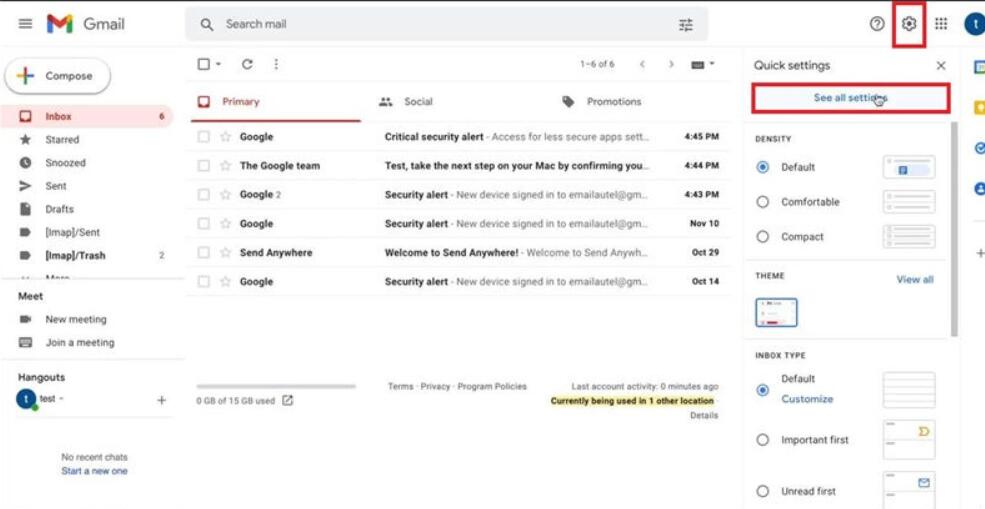
1. Go to Gmail inbox desktop version, click on Setting icon:

See all settings >> Accounts and import >> Other Google Account settings

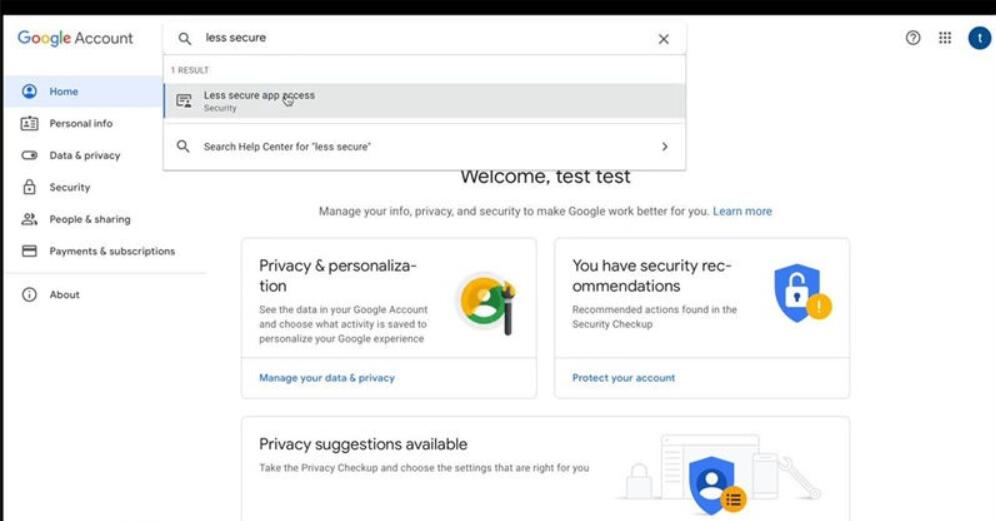
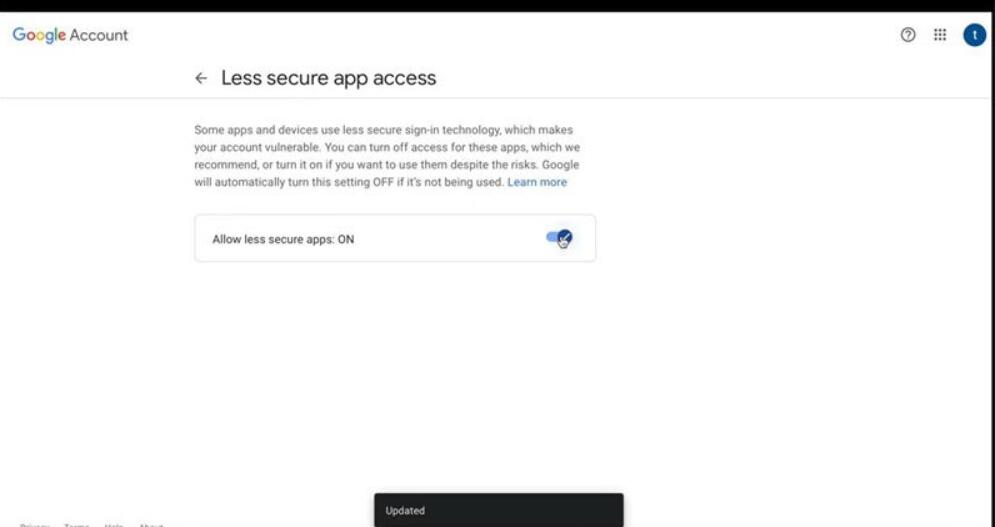
Search and access to “Less secure app access”, turn on “Allow less secure apps” button.
How-to-Set-Up-Your-Gmail-on-Autel-Tools-1
How-to-Set-Up-Your-Gmail-on-Autel-Tools-2
How-to-Set-Up-Your-Gmail-on-Autel-Tools-3
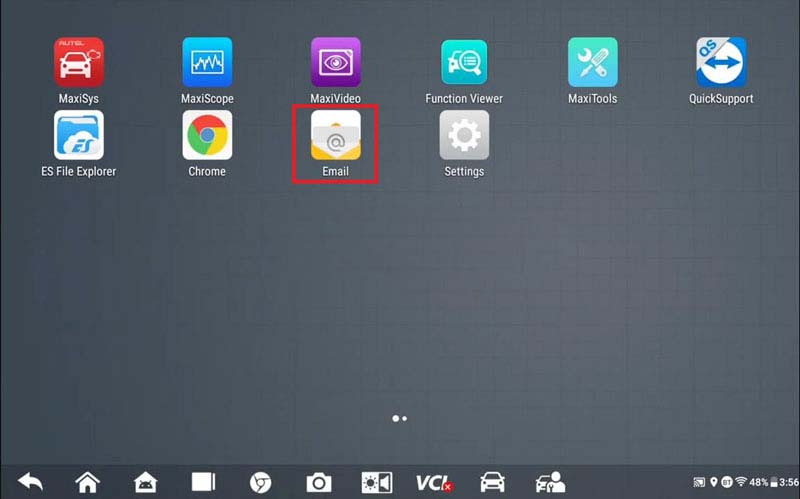
How-to-Set-Up-Your-Gmail-on-Autel-Tools-4

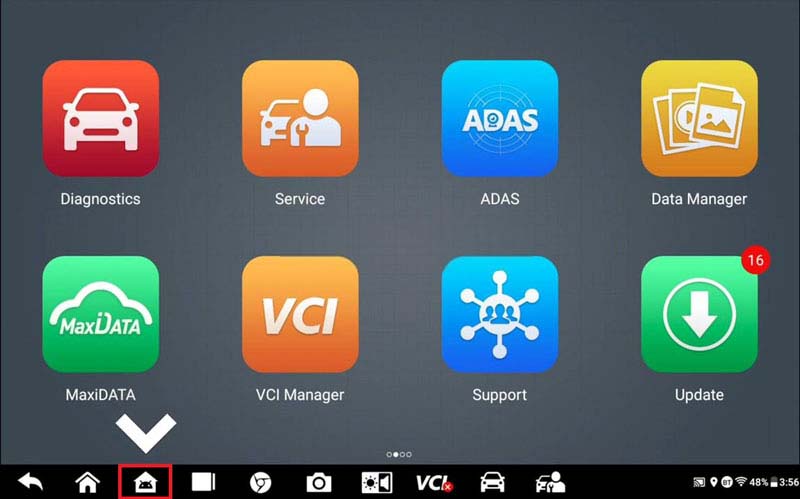
2. Return to Autel tool, select Android icon at the bottom:

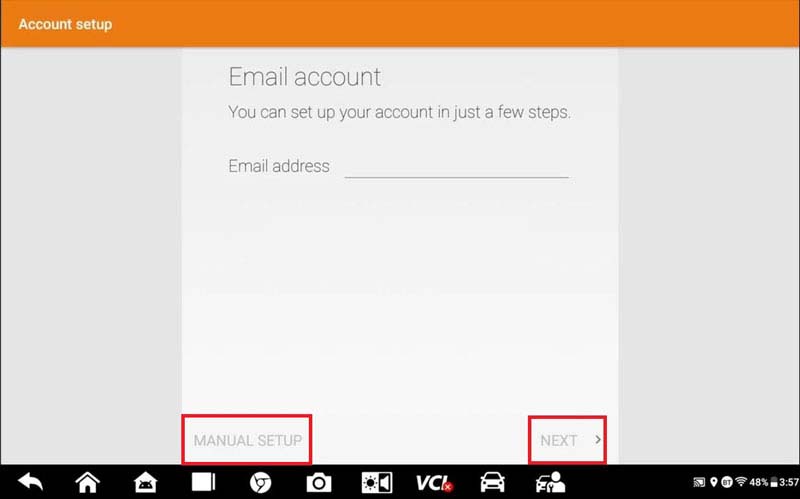
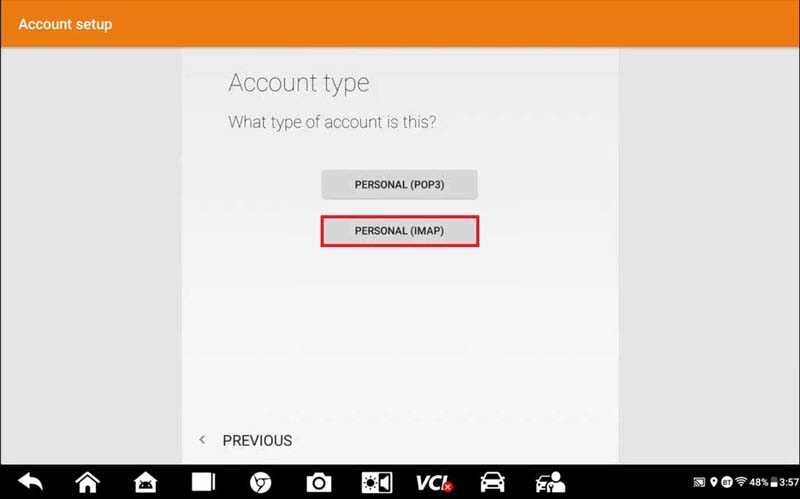
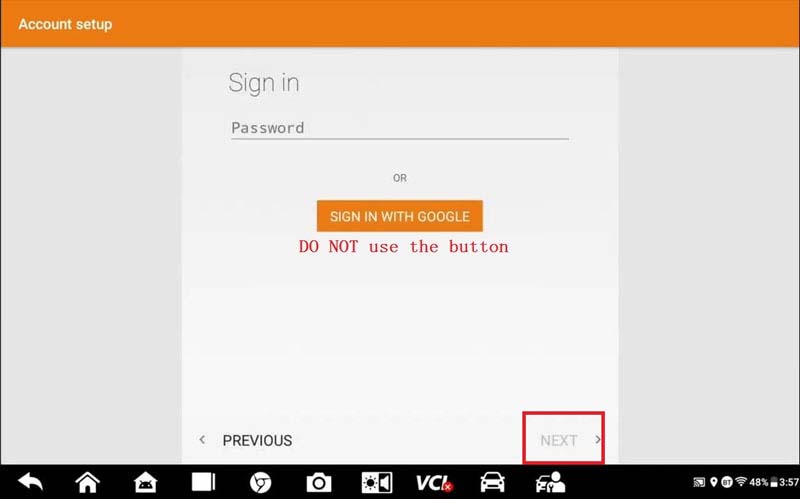
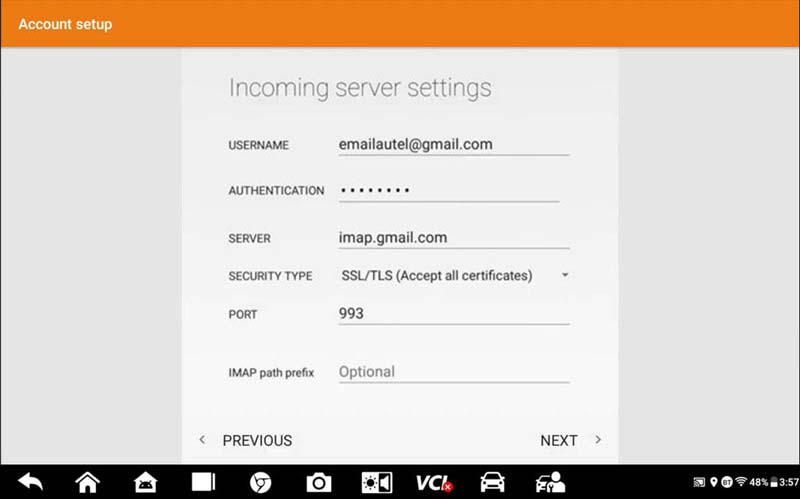
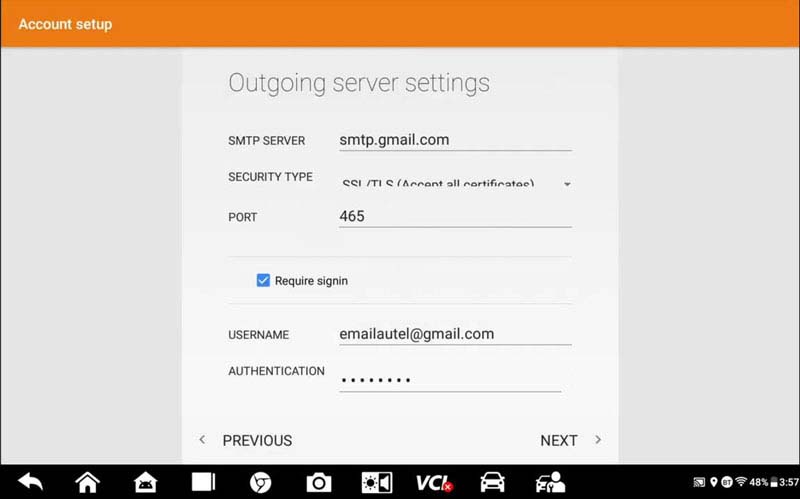
Email >> Input Gmail account >> Select manual setup, next >> Personal(IMAP) >> Input password, press Next (DON’T press “Sign in with Google” button)

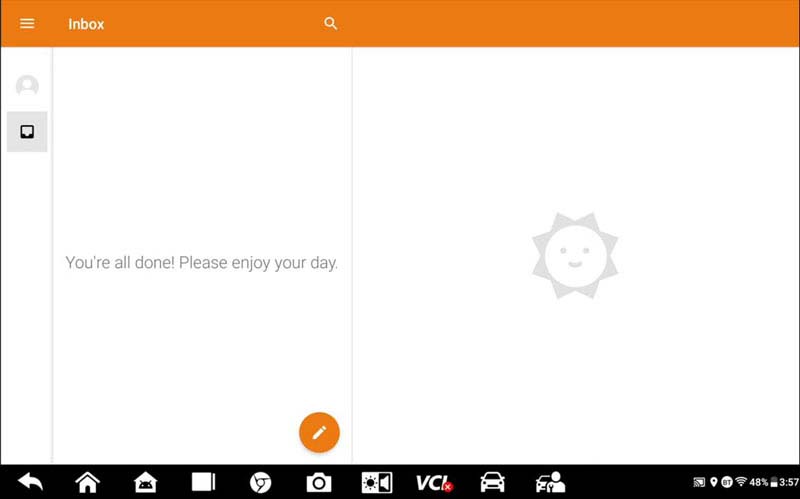
Keep all settings, press Next >> Continuous pressing “Next” until arriving inbox

You may receive a security alert from Google, just ignore it.
How-to-Set-Up-Your-Gmail-on-Autel-Tools-5
How-to-Set-Up-Your-Gmail-on-Autel-Tools-6
How-to-Set-Up-Your-Gmail-on-Autel-Tools-7
How-to-Set-Up-Your-Gmail-on-Autel-Tools-8
How-to-Set-Up-Your-Gmail-on-Autel-Tools-9
How-to-Set-Up-Your-Gmail-on-Autel-Tools-10
How-to-Set-Up-Your-Gmail-on-Autel-Tools-11
How-to-Set-Up-Your-Gmail-on-Autel-Tools-12

All settings were completed!

Now you’re allowed to move data from Autel tool to Gmail anytime.


訪客留言 (返回 obd2toolbella 的日誌)

訪客名稱:
電郵地址: (不會公開)
驗證碼:  按此更新驗證碼 (如看不清楚驗證碼請點擊圖片刷新)
俏俏話: (必需 登入 後才能使用此功能)
[ 開啟多功能編輯器 ]